
Introduction
Welcome to Your SEO Learning Journey
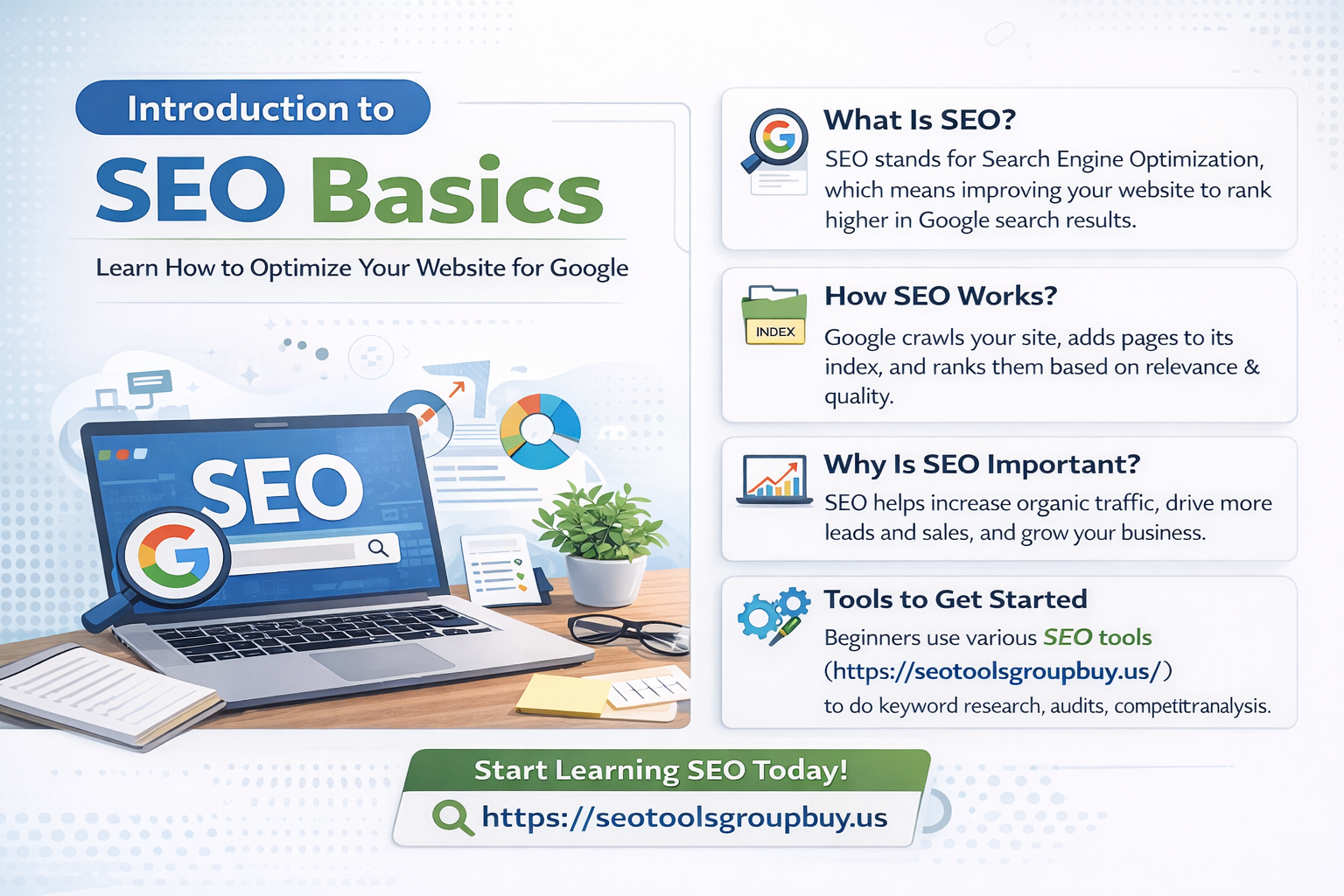
SEO basics means learning how to improve a website so it appears in relevant Google searches. Search engine optimization is the process of improving content, website structure, and technical setup so search engines can crawl, index, and rank your pages for the right audience. Many beginners start by learning the basics and exploring reliable Premium SEO tools access for keyword research, audits, rank tracking, and competitor analysis.
In simple terms, SEO helps a website get traffic from organic search. This means you can build visibility without paying for every click. SEO is useful for beginners, bloggers, business owners, marketers, and website managers who want more reach, more traffic, and better conversions.
This guide explains the definition of SEO basics, how search engines work, keyword research, quality content, on-page SEO, technical SEO, link building, mobile SEO, local SEO, product SEO basics, and measuring SEO success.
Quick Start Guide to SEO
Start with the basics. First, check whether Google can access and index your pages. Google Search Console helps you see which pages are indexed and which pages have issues.
Next, begin keyword research. Choose one primary keyword, then find related secondary keywords and understand search intent. A page ranks better when it matches what users actually want.
Then improve on-page basics. This includes title tags, meta descriptions, heading tags, page URLs, images, alt attributes, and body content. Each page should have a clear topic and answer a clear need.
After that, review technical health. Make sure HTTPS is active, Robots.txt is correct, the XML sitemap is submitted, the site is mobile-friendly, and Core Web Vitals are reasonable. Fast pages and a clear structure support both user experience and search visibility.
Add internal links so important pages connect naturally. Then set up Google Analytics and Google Search Console to track organic traffic, keyword rankings, engagement time, conversions, and index coverage.
How Much of This Guide Do You Need to Read?
If you are a complete beginner, read the full guide. If your site is already live, focus on indexing, content, on-page SEO, technical SEO, and internal linking. If you want better rankings, spend more time on keyword research, search intent, body content, title tags, meta descriptions, and link building. If you want more leads or sales, pay closer attention to user experience, calls to action, engagement time, and conversions.
What Is SEO and Why Is It Important?
SEO Basics Definition
SEO basics means improving your website for both users and search engines. Google crawls pages, indexes them, and ranks them based on the user’s query. Crawling means discovering pages. Indexing means storing and understanding them. Ranking means deciding where they appear in the search engine results page, or SERP.
Organic search is traffic from unpaid search results. It is one of the strongest long-term sources of website growth, which is why SEO basics matters for every website owner.
Why Should You Care About SEO?
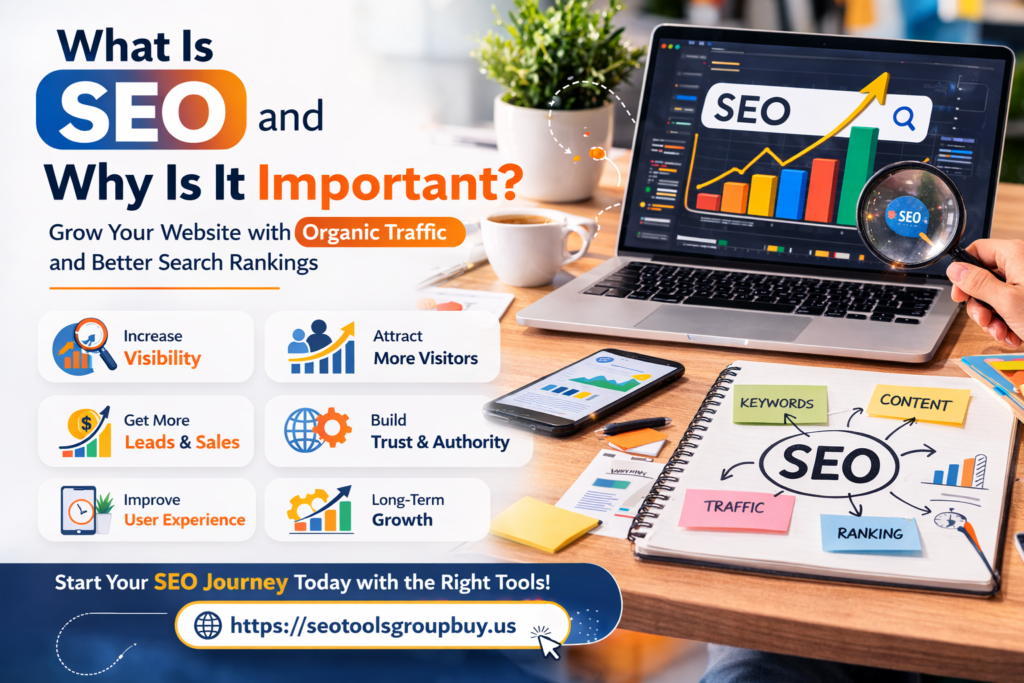
SEO can increase organic traffic, improve brand visibility, support better website ranking, and reduce reliance on paid ads over time. It also improves user experience. Clear headings, faster pages, easy navigation, useful content, and mobile usability help people stay longer and trust the site more.
Why SEO Matters for Different Website Types
Business websites use SEO to generate leads. Blogs use SEO to attract readers. E-commerce websites rely on SEO for collection pages and product pages. Local businesses use local SEO for calls, visits, and map visibility. Service-based websites use SEO to match services with real searches. Product SEO basics helps product pages show up for the right buyers.
Core SEO Basics You Need to Know First
How Search Engines Work
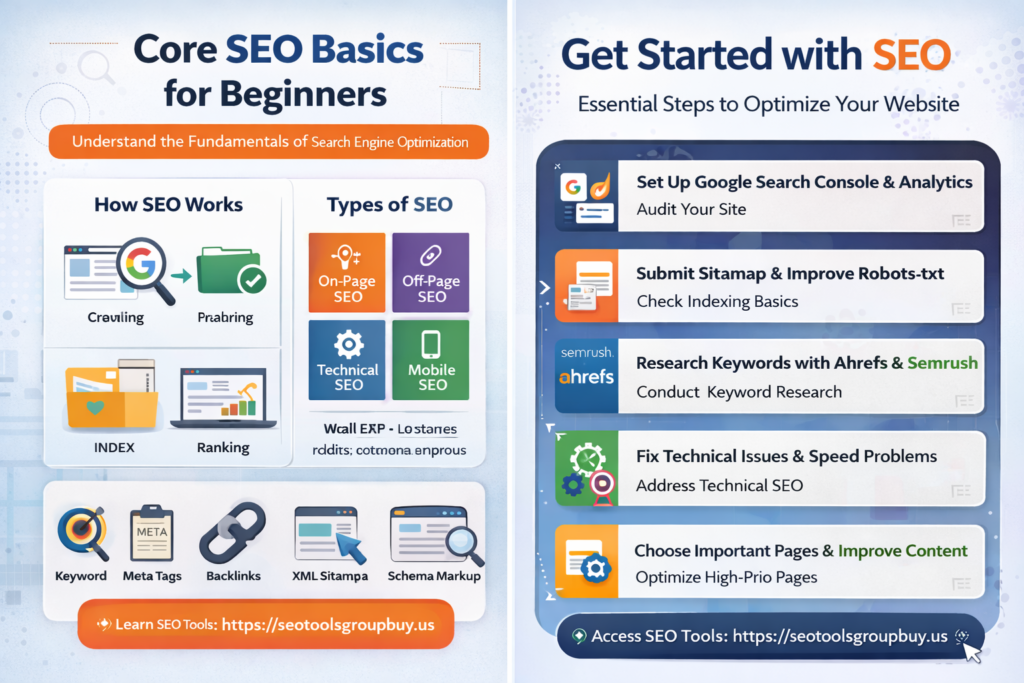
Search engines follow a simple process: crawl, index, and rank. Search engine bots move through links to discover pages. If your site structure is weak, important pages are blocked, or internal links are poor, crawling becomes harder.
A crawled page is not always indexed. Thin content, duplicate content, blocked resources, no index tags, or pages that are hard to render can stay out of the index. Ranking happens after indexing. Google looks at signals such as relevance, quality content, user experience, internal links, backlinks, page speed, and mobile friendliness.
Search intent matters at every stage. If someone searches for “SEO basics,” Google usually prefers beginner-friendly educational pages, not sales pages. That is why your content should match the user’s goal.
The Main Types of SEO
On-page SEO covers title tags, meta descriptions, heading tags, body content, page URLs, images, alt attributes, internal links, and schema markup. Off-page SEO focuses on signals outside your site, especially backlinks and link building. Technical SEO supports crawlability, indexability, Core Web Vitals, HTTPS, redirects, XML sitemap, Robots.txt, duplicate content handling, and header response codes.
Mobile SEO focuses on how well a site works on phones and tablets. Local SEO focuses on city- or area-based searches and includes Google Business Profile, local keywords, local citations, and reviews. E-commerce SEO focuses on collection pages, product pages, faceted navigation, and conversion-focused SEO. Product SEO basics helps individual product pages rank for specific searches.
Basic SEO Terms Beginners Should Know
A keyword is the phrase a user types into a search engine. Search intent is the reason behind the search. Title tags are the clickable titles shown in results. Meta descriptions are the short summaries below them. Heading tags organize content. Page URLs should be clean and descriptive.
Alt text describes images. Internal links connect one page of your website to another. Backlinks are links from other websites to your site. XML sitemap helps search engines find important pages. Robots.txt gives crawling instructions. A canonical tag helps manage duplicate content. Schema markup adds structured information to a page. Core Web Vitals measure loading, responsiveness, and visual stability. Conversions are the actions you want users to take.
Why These Basics Matter First
Beginners often publish content before fixing the basics. Strong SEO basic principles follow a better order. First, make sure the site can be crawled and indexed. Then match each page with the right keyword and search intent. After that, improve on-page SEO, internal linking, technical SEO, and authority.
Tools and Resources
Google Search Console and Google Analytics are the first tools most beginners need. Keyword research tools help find search terms and content opportunities. Page speed tools help evaluate performance. Crawl audit tools help find broken links, blocked pages, redirect chains, and duplicate content. For backlink analysis, keyword research, and competitor tracking, tools like Ahrefs group buy service online can be useful.
Moz tools and Moz Pro can support audits, rank tracking, and keyword research. Moz Academy SEO Essentials Certification can help with structured learning, but practice matters more than certificates. If you work inside a company or institution, internal resources may also help, though they are not core to SEO basics.
Get Started with SEO
Set Your SEO Goals
Before changing pages, decide what success means. Some sites want more organic traffic. Some want better keyword rankings. Some want leads, calls, sign-ups, or sales. Local businesses may want better local visibility. E-commerce sites may want more product page traffic and completed checkouts.
Your goals shape your SEO strategy. Traffic goals usually need more informational content. Sales goals usually need better commercial keywords, product pages, and conversion paths. Local visibility requires a strong local SEO setup.
Basic SEO Setup Checklist
Start with Google Search Console to monitor indexing, sitemap status, queries, clicks, and impressions. Then set up Google Analytics for landing pages, engagement time, conversions, and organic leads and sales.
Submit an XML sitemap. Review your Robots.txt file. Use HTTPS. Make sure the site is mobile-friendly. Use reliable hosting. Check CMS settings so pages are indexable and duplicate archives are controlled. Run a basic indexability check and confirm that important pages are internally linked and not blocked or redirected badly.
Keyword Research for SEO Basics
Keyword research means finding what people search for and matching those searches to the right pages. The primary keyword here is “SEO basics.” Supporting phrases can include basics of SEO, learn SEO basics, basic SEO best practices, basic SEO definition, basic SEO guidelines, basics of SEO writing, local SEO basics, ecommerce SEO basics, javascript SEO basics, and AI SEO basics.
You can find keywords through Google suggestions, People Also Ask, related searches, competitor pages, Search Console queries, and SEO tools. Platforms like seo tool group buy semrush can help you find keyword ideas, review keyword difficulty, study search intent, and analyze competitor pages.
Choose keywords based on relevance, search intent match, traffic potential, keyword difficulty, and conversion value. Start with a seed keyword, build topic clusters, identify supporting keywords, and map each keyword to a specific page.
A Beginner SEO Plan That Makes Sense
Do not try to do everything at once. Start by checking indexing and technical basics. Then choose priority pages. Improve titles, meta descriptions, headings, body content, URL structure, and internal links. After that, publish useful content and build trust through link building and content marketing.
How Google Finds and Understands Your Pages
How Do You Make Sure Google Can Index Your Site?
A page cannot rank if Google cannot index it. Your pages must be crawlable. Search engine bots should reach them through clear navigation and internal links. Avoid orphan pages. Keep category hierarchy simple.
Robots.txt mistakes can block important content. Noindex tags can keep pages out of search. Both issues are common and easy to miss.
Submit and Maintain an XML Sitemap
An XML sitemap helps Google discover important pages. Submit it in Google Search Console and keep it updated. Include indexable, canonical pages only. Do not fill it with broken, redirected, or low-value URLs.
Fix Common Indexing Blockers
Common blockers include noindex tags, blocked resources, broken pages, duplicate URLs, redirect chains, and thin content. Header response codes matter too. A 200 response is normal. A 301 redirect is usually used for a permanent move. A 302 is usually temporary. A 404 means the page is missing. A 500 means the server has a problem.
Use Google Search Console for Index Coverage
Use URL inspection to see how Google views a page. Review the page indexing report to find excluded pages. Check sitemap status and fix coverage issues early.
Quality Content Comes Next
After indexing, content quality becomes the main factor. Create high-quality content that matches search intent and covers the topic clearly. Explain ideas in simple language. Show the main uses of SEO basics, its key parts, and the steps a beginner should take first.
Optimize the content above the fold. The title, opening lines, and early paragraphs should quickly confirm the page topic. Write for users first and search engines second. Use natural language, short paragraphs, examples, and clear structure.
User Experience and On-Page SEO Basics
User experience affects SEO because it affects how people use your site. Slow or confusing pages push users away. Clear navigation, readable fonts, simple layouts, and visible trust signals improve usability.
On-page SEO basics includes title tags, meta descriptions, heading tags, page URLs, images, alt attributes, internal links, schema markup, and body content optimization. Use keywords naturally. Support them with related terms. Keep the page aligned with search intent.
Building Structure, Authority, and Technical Strength
Information Architecture and Internal Linking
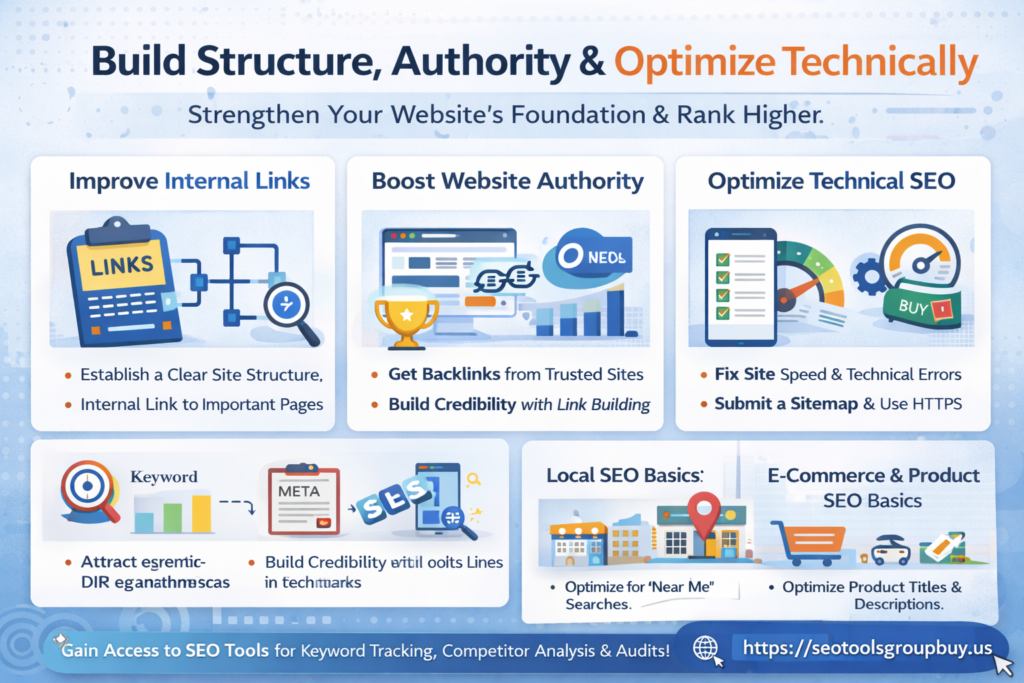
Information architecture is how your site is organized. It includes categories, subcategories, page groups, and internal connections. A clean structure helps Google understand the site and helps users find the next useful page.
Use descriptive anchor text and context-rich internal links. Avoid over-linking. Support priority pages with links from related pages. Topic clusters help here. A pillar page targets a broad topic. Supporting pages cover narrower terms.
Link Building and Establishing Authority
Link building is the process of earning backlinks from other websites. These links can improve authority and trust. Good starting points include associations, suppliers, connected businesses, real directories, and industry partners.
Press mentions can come from digital PR, expert quotes, useful data, and original stories. Content that attracts backlinks often includes original research, useful guides, templates, case studies, and free tools. Avoid spam links, link schemes, irrelevant directories, and exact-match anchor abuse.
Content Marketing and Link Building
Content marketing supports link building when the content is worth sharing. Start by identifying your linking and sharing audience, such as journalists, bloggers, industry sites, and resource curators. Then create useful assets and promote them through outreach, sharing, and partnerships. Finally, map those assets to informational and commercial keywords.
Technical SEO Basics
Technical SEO supports crawlability, indexability, performance, and security. Robots.txt should be clear. Core Web Vitals measure page experience through LCP, INP, and CLS. HTTPS protects data and supports trust. Page speed improves through image compression, caching, code cleanup, better hosting, and lazy loading.
Mobile friendliness matters because Google uses mobile-first indexing. Header response codes and redirects should be managed carefully. Duplicate content should be handled with canonicals where needed. JavaScript SEO basics matter when important content depends on rendering. Security also matters, so keep plugins updated and protect the site from malware.
Mobile SEO
Mobile SEO is no longer optional. Responsive pages, fast load times, simple navigation, readable content, and optimized media all support stronger mobile performance.
Local SEO Basics
Local SEO helps businesses appear in place-based searches. The basics include Google Business Profile, NAP consistency, local landing pages, local citations, reviews, and local keywords.
E-commerce and Product SEO Basics
E-commerce SEO basics focus on collection pages, category pages, product pages, reviews, and conversion paths. Product SEO basics includes strong product titles, useful descriptions, product schema, image optimization, internal linking, and careful control of faceted navigation.
Measuring SEO Success and Next Steps
Measuring SEO Success
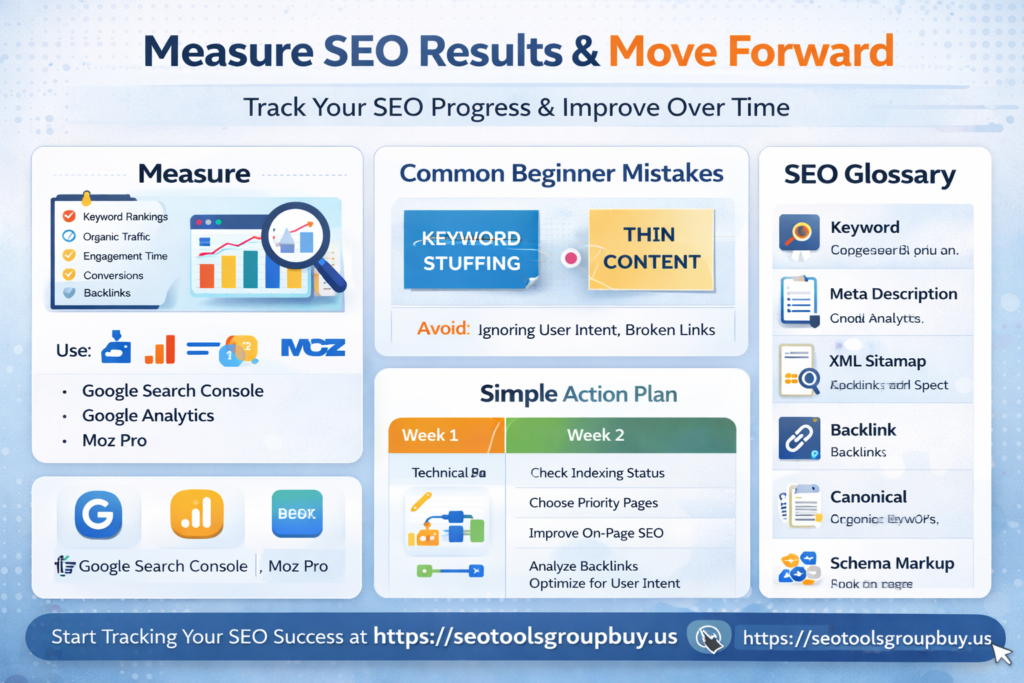
Track keyword rankings, organic traffic, engagement time, conversions, and organic leads and sales. Use Google Search Console for clicks, impressions, and indexing data. Use Google Analytics for behavior, landing pages, and conversion tracking.
Monitor technical SEO too. Watch for crawl errors, broken links, indexing issues, Core Web Vitals problems, and bad redirects.
Common SEO Mistakes Beginners Make
Common mistakes include keyword stuffing, thin content, missing title tags, weak meta descriptions, poor internal linking, ignoring technical SEO, slow page speed, weak mobile usability, and tracking the wrong metrics. Another mistake is expecting instant results. SEO usually takes time and steady improvement.
SEO Glossary of Terms
SEO means search engine optimization. SERP means search engine results page. Crawl means discovery. Index means stored in the search engine database. Ranking means position in search. Keyword is the search term. Search intent is the reason behind the query. Backlink is a link from another site. Conversion is the action you want the user to take.
Start Your SEO Journey
In week one, set up Search Console and Analytics, check indexing, review Robots.txt, and submit the XML sitemap. In week two, do keyword research and map terms to pages. In week three, improve on-page SEO. In week four, fix technical issues. After that, create useful content, strengthen internal linking, and build authority.
SEO Basics: Recap and Next Steps
SEO basics starts with crawlability and indexing. Then comes quality content, on-page SEO, internal linking, technical SEO, link building, and measurement. You do not need to do everything at once, but you do need consistency. A site grows when it becomes more useful, faster, clearer, and easier to trust over time.
