AI video generation is getting easier, but creating a useful video is still not as simple as entering one prompt. Creators often need to plan scenes, test images, manage references, keep characters consistent, and adjust outputs several times. AZ8 is built for this more realistic creative process, with a workflow that helps users move from idea to video in a more organized way.
What Is AZ8?
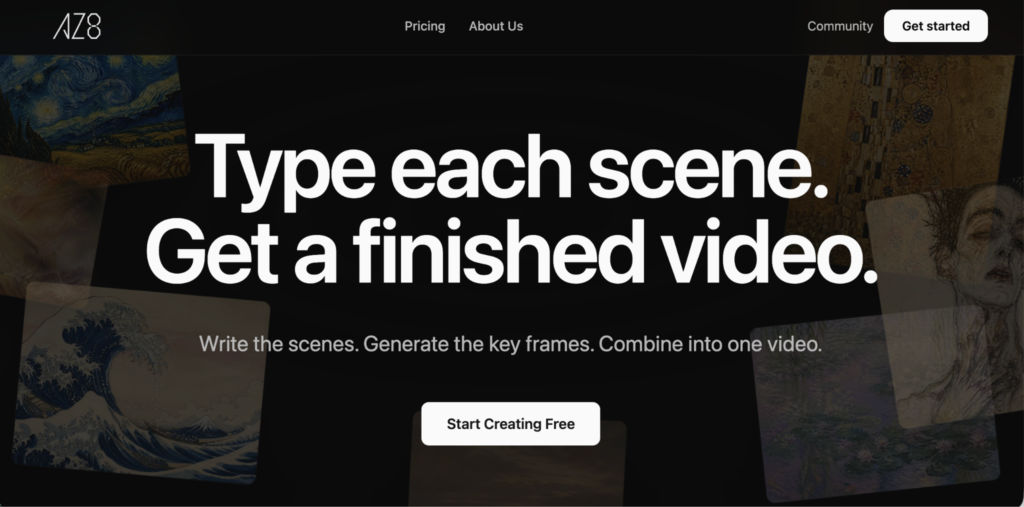
AZ8 is an AI video creation platform designed around a canvas-based workflow. Instead of making users rely only on one prompt and one output, AZ8 gives creators a visual workspace where they can plan scenes, create key frames, manage assets, and build video projects step by step.
The platform is mainly for creators who want more control over AI video production. This includes AI filmmakers, visual storytellers, faceless video creators, AI artists, short video creators, and small creative teams. It can also help marketers or content teams that want to test video concepts before investing in full production.
AZ8 is best understood as a creative workstation for AI video. It supports text to video, image to video, video to video AI, AI image generation, and scene-based planning. The goal is not only to generate a clip, but to help creators build a full visual idea with references, characters, and connected assets.
This makes AZ8 useful for creators who often feel limited by basic AI video generators. A simple text to video generator may work well for quick tests, but it can become harder to use when a project needs multiple scenes or consistent characters. AZ8 gives those projects a more structured workflow.
The platform’s value is strongest when a creator wants to build something with continuity. If the goal is a story video, a cinematic scene, a faceless content format, or a repeatable creator workflow, AZ8 gives users more room to plan and refine the result.
Features of AZ8
The main feature of AZ8 is its canvas-based workspace. This is useful because AI video creation usually involves several different materials. A creator may start with a short idea, then write a scene, generate a character image, create a reference frame, test motion, compare clips, and add audio or music direction. AZ8 gives users a place to keep those pieces connected.
This matters because AI projects can become messy very quickly. When prompts, images, video outputs, and references are separated across different tools or folders, it becomes difficult to remember what worked. AZ8 helps creators organize the process visually, which makes it easier to return to earlier ideas and improve them.
AZ8 Text to Video is useful for creators who want to begin with written descriptions. A user can write a scene idea and use the platform to develop it into a visual direction. This supports text to video creation for cinematic ideas, product concepts, fantasy scenes, social media videos, story clips, and creative testing.
For creators who want to convert text to video, AZ8 offers a more flexible process than a basic text to video AI tool. The prompt can stay connected to key frames, images, references, and generated clips. This makes the workflow easier to revise because the creator is not starting over from a blank prompt each time.
AZ8 Image to Video is another important part of the platform. Many creators prefer to start with an image because it gives the AI a clearer visual target. The image may be a character portrait, a product photo, a concept frame, an AI-generated artwork, or a mood reference. With image to video AI, users can turn that image into motion while keeping the original visual idea as the base.
This is helpful for converting image to video when the creator wants better control over style and subject. Text can describe a scene, but an image can show the exact look, lighting, character design, or composition. For creators working on character-based videos or branded visuals, this can make the output easier to guide.
AZ8 also supports video to video AI workflows. This is useful when a creator already has a clip and wants to refine it, transform it, or use it as a visual reference. A user may want to test a new style, improve a generated scene, continue an idea, or explore another version of the same shot.
The key-frame workflow is one of AZ8’s most practical strengths. In many AI video projects, a strong still image can guide the final motion better than text alone. A creator can create a hero frame, a character close-up, a background shot, or an important scene image before generating video. This helps the video output follow a clearer visual direction.
Character consistency is another major use case. AI video tools often struggle to keep the same character stable across multiple scenes. The face, outfit, body shape, or style may change between shots. AZ8’s reference-based workflow gives creators a better way to manage character identity by keeping important frames and visual materials available during the project.
This makes AZ8 especially useful for AI story video generator workflows. A story video is not just one strong clip. It usually needs several connected parts, such as an opening scene, character introduction, conflict, action moment, reaction shot, and ending. AZ8 helps creators plan those pieces in a more connected way.
Faceless video creation is also a natural fit. Many creators want to make videos without appearing on camera. They may use AI-generated scenes, characters, narration, music, captions, and visual sequences. AZ8 can support this workflow because it helps users build visual content from prompts, images, references, and generated assets.
The platform can also work as part of an AI image creation workflow. The AZ8 image generator can help users create concept art, character frames, backgrounds, visual references, and mood boards before moving into video. For AI image creators, this makes AZ8 useful as both an image generation tool and a video production workspace.
Another important feature is the model ecosystem. AZ8 connects different types of AI models for video, image, music, editing, and creative support. This matters because creative projects often need different model strengths. One model may work better for image quality, another for motion, another for music, and another for editing or planning.
This gives creators more flexibility. Instead of depending on one model for every task, users can work with different creative tools inside a more connected environment. For larger projects, this can help reduce the need to jump between many separate platforms.
AZ8 is not a fully automatic video maker, and that is important to understand. The platform can help organize the workflow, but users still need to make creative decisions. Strong prompts, useful references, careful review, and testing are still part of the process. The benefit is that AZ8 gives those steps a clearer structure.
Pros & Cons of AZ8
Pros
AZ8 is useful for creators who need a more organized AI video workflow. The canvas helps users manage prompts, images, videos, references, audio ideas, and different versions in one place.
It supports several major creative paths, including text to video, image to video, video to video AI, AI image generation, and story-based video planning.
The key-frame workflow gives creators more visual control before they generate motion. This can help reduce randomness and improve scene direction.
AZ8 is practical for character-driven projects because creators can manage references and visual identity across multiple shots.
The platform is a strong fit for AI story videos, faceless video creation, cinematic clips, visual experiments, and repeatable creator workflows.
Its model ecosystem gives users more flexibility across video, image, music, editing, and creative planning tasks.
Cons
AZ8 may take more time to learn than a simple prompt-only video generator because it offers a fuller creative workspace.
Output quality still depends on prompt clarity, reference quality, model choice, and how many versions the creator tests.
Creators who only need one quick clip may not need the full value of the canvas workflow.
Some finished videos may still need outside editing for subtitles, pacing, transitions, sound design, or platform-specific formatting.
FAQs
Is AZ8 good for text to video creation?
Yes. AZ8 supports text to video creation and gives users a structured way to turn written prompts or scene descriptions into video projects.
Can AZ8 be used as an image to video tool?
Yes. AZ8 supports image to video workflows. Users can start with a reference image, character frame, artwork, or product image and use it as the base for video generation.
Does AZ8 help with AI story videos?
Yes. AZ8 is useful for AI story videos because it helps creators plan scenes, manage characters, create key frames, and build connected visual sequences.
Who should use AZ8?
AZ8 is best for creators who want more control over AI video production. It fits AI filmmakers, faceless video creators, visual storytellers, AI artists, and teams building repeatable video workflows.
