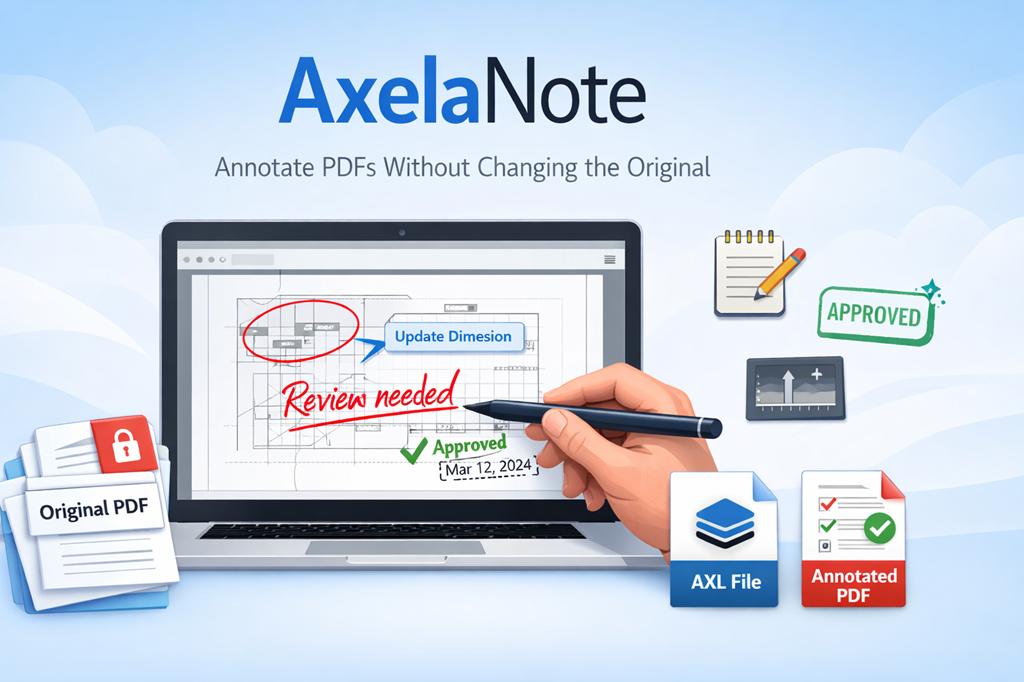
AxelaNote is a Windows-based PDF annotation tool designed for professionals who need to write on PDF documents without changing the original file. It uses a transparent overlay system that allows handwriting, stamps, text, and structured markup even on read-only or permission-restricted PDFs.
This guide explains AxelaNote in full detail, including how it works, what it offers, who it is for, and when it is the right choice. The focus stays on clarity, real-world use, and accurate decision support.
What Is AxelaNote?
AxelaNote is a specialized PDF writing and review application developed by TransRecog. Instead of editing a PDF directly, it places a separate writable layer on top of the document.
Because of this design, users can safely annotate official, protected, or shared PDFs while keeping the source file completely unchanged. This makes it suitable for workflows where document integrity is critical.
How AxelaNote Works
Transparent Overlay Technology
AxelaNote creates a virtual transparent sheet above the PDF displayed in a standard viewer such as Adobe Acrobat Reader. All notes, drawings, and symbols sit on this overlay layer.
As a result, the original PDF layout, permissions, and content remain intact at all times.
Writing on Restricted PDFs
Many PDFs block editing, commenting, or printing. However, AxelaNote can still capture handwriting and annotations because it does not rely on the PDF’s internal permission settings.
Therefore, users can review and mark documents without unlocking, converting, or duplicating files.
Core Features Explained Clearly
AxelaNote focuses on practical tools that support fast review, consistent markup, and structured documentation.
Handwriting and Freeform Notes
Users can write naturally using a mouse, pen tablet, or touchscreen. This helps when reviewers need to circle items, sketch corrections, or add quick handwritten notes.
Text Boxes and Shapes
For cleaner documentation, AxelaNote supports typed text boxes and geometric shapes. These tools improve readability when documents are shared across teams.
Stamps and Reusable Markings
AxelaNote includes stamp functions such as date stamps, name stamps, and approval marks. Custom stamps can also be created.
In addition, fixed phrases can be registered. This saves time and ensures consistent wording across repeated checks.
Automatic Numbering
Automatic numbering helps when reviewing drawings or inspection lists. Each click places the next number in sequence, reducing manual effort and preventing errors.
Measurement Tools
Users can measure distances and areas directly on drawings. This supports quick checks in construction, engineering, and manufacturing reviews.
Contour and Outline Extraction
Contour extraction allows users to copy outlines from the underlying PDF. This reduces manual tracing and improves accuracy in certain markup tasks.
Export and Data Handling
Annotations can be exported as CSV files for tracking issues or building inspection logs. In addition, annotated PDFs can be generated for sharing or archiving.
File Formats and Output Options
AXL Annotation Files
AxelaNote saves annotation layers in a proprietary AXL file. This file stores only the overlay content, not the PDF itself.
Because of this separation, multiple annotation versions can exist for one document while file sizes remain manageable.
Merging Annotations Into a PDF
When needed, users can merge the overlay with the original PDF to create a single annotated document. This file can be opened in any standard PDF viewer.
Pricing and Licensing Overview
AxelaNote offers flexible licensing to match different working environments.
Free Version and Trial
- A permanent free version is available with basic functionality
- A 14-day free trial provides access to full features for evaluation
Paid License Types
User License
Designed for individuals. One license typically allows installation on up to three personal PCs.
Device License
Assigned to a single computer. This option works well for shared workstations, classrooms, or offices with rotating users.
Enterprise Licensing
Custom agreements are available for larger organizations. These plans often include tailored support and deployment options.
Real-World Use Cases
AxelaNote is used where accurate review and document protection matter.
Construction and Engineering
Teams mark drawings, number issues, and review plans without altering official files or blueprints.
Manufacturing and Quality Control
Inspectors document defects, approvals, and checks while preserving original design documents.
Education and Training
Teachers grade PDF assignments and provide feedback without modifying student submissions.
Public Sector and Administration
Organizations handling formal or regulated documents benefit from non-destructive annotation and clear audit trails.
AxelaNote vs Traditional PDF Editors
AxelaNote serves a different purpose than full PDF editing suites.
Traditional editors focus on creating and modifying PDF content. AxelaNote focuses on reviewing and writing without changing the source file.
Because of this, it works best for checking, approving, and marking documents rather than editing text or redesigning layouts.
Who Should Use AxelaNote?
AxelaNote is a strong fit if you:
- Work with read-only or protected PDFs
- Must preserve original documents
- Review technical drawings or formal reports
- Need structured, repeatable annotation tools
If you mainly need to edit PDF text or build forms, a traditional editor may be more suitable.
Read More | Any Time Interrogation
Conclusion
AxelaNote is a purpose-built solution for writing on PDFs without altering the original file. Its transparent overlay system allows safe annotation, even on restricted documents, while supporting handwriting, stamps, numbering, measurements, and structured exports.
For professionals who review complex documents and value accuracy, compliance, and efficiency, AxelaNote offers a reliable and practical approach to paperless PDF review.