

AI video generation tools are getting better quickly, but they are not all built for the same kind of work. Some are strongest at short, motion-heavy clips, while others are more useful for longer projects with multiple connected scenes.
For many creators, the real difference is whether a platform can support a full video workflow instead of just a single striking output.
What Is Videoinu?
Videoinu is an AI video generator built around longer-form, story-driven creation. Its homepage positioning emphasizes going beyond short clip limits and making longer animated episodes, which gives it a different focus from many AI video tools that are mainly discussed in the context of short standalone generations.
The platform combines several workflows in one place, including text to video, image to video, video to video, faceless video creation, and story-based generation. This makes it easier for users to begin from different starting points, whether they have a script, a still image, or an existing clip they want to transform.
In practical terms, Videoinu feels most relevant for creators who want to build structured content with progression from one scene to the next. It is not just about generating a visually interesting moment. It is more about helping users assemble a complete video with continuity, pacing, and a clearer narrative flow. That is the main reason it can stand out as one of the best options for users who care about full-project usability.
Features of Videoinu
Videoinu offers several AI video workflows in one platform, and that is one of its biggest advantages. Text to video is useful for turning written ideas into scenes quickly, which makes it a practical starting point for creators working from outlines or scripts. Image to video is helpful when a user already has a visual reference and wants to add motion while keeping the original composition more stable. Video to video gives creators another route, allowing them to keep the motion of an existing clip while changing its style or visual treatment.
The platform also places clear emphasis on story-based creation. Instead of treating video generation as a one-shot process, Videoinu is structured more like a scene-building workflow. That makes it better suited to users who want to create connected content rather than isolated clips. Faceless video generator add another practical layer, especially for creators who want to produce narrative or explainer videos without appearing on camera.
Overall, the feature set feels broad but still coherent. The main appeal is not that any one workflow is radically different from the market, but that the platform groups them into a system that is easier to use for longer, more structured content.
Pricing
Videoinu offers both free and paid tiers:
Free plan: limited access or credits
Monthly plan: around $9.99–$59.99
Annual plan: around $6.99–$41.99
Enterprise: custom pricing, starting from $100
Videoinu offers a range of plans from a free trial to professional enterprise solutions. Opting for yearly billing provides a 30% discount on the subscription. The public pricing page lists Basic at $0, Plus at $9.99 per month or $6.99 per month billed annually, Pro at $29.99 per month or $20.99 per month billed annually, Ultra at $59.99 per month or $41.99 per month billed annually, and Enterprise as custom starting from $100.
The structure is relatively easy to understand, and that helps compared with platforms where costs are harder to predict. At the same time, the real value still depends on how efficiently a user can turn credits into finished scenes. For long-form projects, that matters more than the entry-level price alone.
Pros & Cons of Videoinu
Pros
- Better aligned with long-form and story-driven creation than many tools focused mainly on short clips.
- Supports multiple workflows in one place, including text to video, image to video, and video to video.
- Story-based and faceless workflows make it practical for narrative videos and explainers.
- Pricing is clear, with a free tier and several paid levels.
Cons
- Like most AI video tools, it still requires experimentation to get the best results.
- Users who want very detailed manual editing may still prefer a more editing-heavy workflow.
Videoinu AI vs Seedance2.0: Which Is the Better Video Generator?
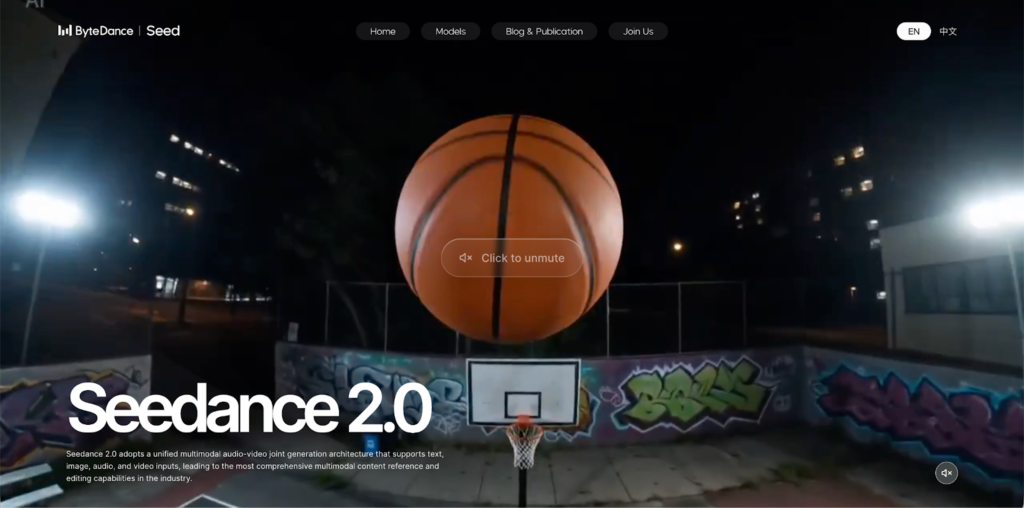
Seedance 2.0 is positioned very differently. Official Seedance materials emphasize text-to-video and image-to-video generation, 1080p output, smooth motion, multi-shot generation, and strong prompt following. On Videoinu’s own Seedance pages, Seedance is presented as motion-driven, rhythm-aware, and especially strong for smooth character movement and short-video-ready visuals.
That means Seedance is easier to understand as a model-first option: it is often chosen for the quality of a specific generation style, especially when motion quality and polished short outputs are the priority. Videoinu AI, by contrast, feels more workflow-first. Its strength is that it gives users several ways to build a project and supports a broader narrative process instead of centering everything on one model identity.
In practical terms, Seedance may be the better choice if the goal is a visually strong, motion-focused clip from text or image prompts. Videoinu AI can be the better choice if the goal is to create a longer, structured video with multiple scenes and a more flexible production flow. This is why Videoinu can still feel like the more complete option for creators who want to produce full videos rather than optimize for a single clip.
So the difference is not simply quality versus quality. It is model strength versus workflow strength. For creators focused on continuity, scene structure, and narrative content, Videoinu AI is often the more practical platform. For users focused on motion-rich, polished generation from a prompt, Seedance has a stronger case.
FAQs
What is Videoinu mainly used for?
Videoinu is mainly used for AI video creation with a stronger focus on narrative structure, multi-scene generation, and longer-form content.
Does Videoinu support text to video and image to video?
Yes. Videoinu supports text to video, image to video, and other generation workflows in one platform.
How much does Videoinu cost?
Videoinu has a free Basic tier, paid plans at $9.99, $29.99, and $59.99 per month, lower annual equivalents at $6.99, $20.99, and $41.99 per month, and custom Enterprise pricing starting from $100.
Is Videoinu AI a good alternative to Seedance?
Yes, especially for creators who care more about structured workflows, longer videos, and overall project building rather than only motion-focused clip generation.
