
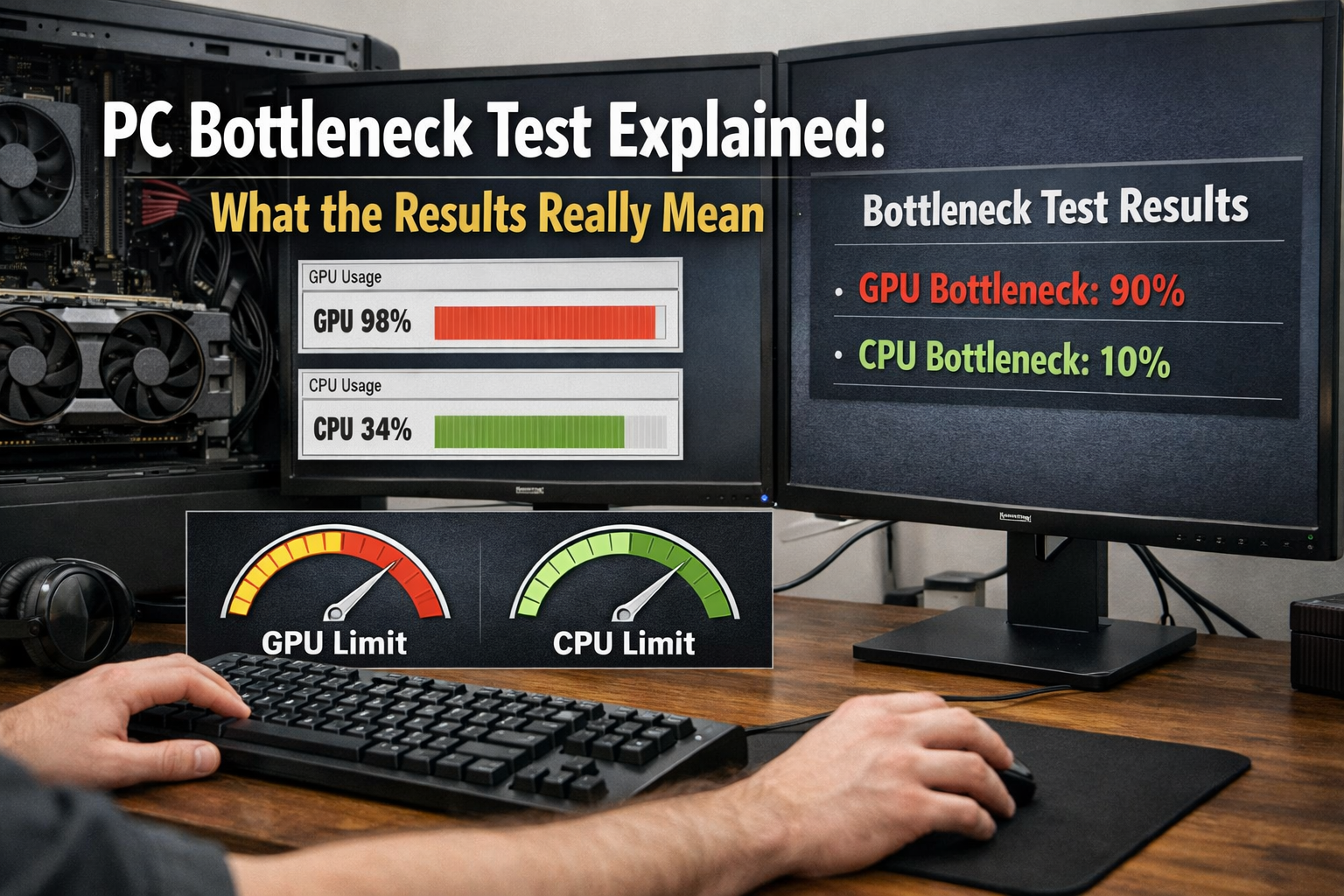
PC Bottleneck Test Explained: What the Results Really Mean is a topic that often confuses gamers, PC builders, and even experienced tech enthusiasts. When someone upgrades a graphics card or plans a new gaming build, one of the first things they search for is whether their system will experience a bottleneck.
A PC bottleneck happens when one component in your system limits the performance of another. Imagine driving a high-performance sports car on a narrow road stuck behind a slow truck. The car has the power to go faster, but it cannot reach its full potential because something else is slowing it down. The same thing can happen inside your computer.
Gamers and PC builders run bottleneck tests to check whether their CPU, GPU, or other components are balanced. They want to know if a new graphics card will work efficiently with their current processor or if one part of the system will hold back the other.
However, the biggest issue is that many people misinterpret bottleneck results. Seeing a “15% bottleneck” in a calculator often causes panic, even though that number rarely reflects real-world performance loss.
In this guide, we will break down PC Bottleneck Test Explained: What the Results Really Mean so you can understand how these tests work, how to interpret their results, and when a bottleneck is actually something to worry about.
What Is a PC Bottleneck?
A PC bottleneck occurs when one hardware component restricts the performance of another component in your system. In gaming PCs, this usually involves the CPU and GPU, which handle most of the heavy workload.
For example, if a powerful graphics card is paired with a weak processor, the CPU might struggle to send instructions fast enough to the GPU. As a result, the GPU cannot perform at its full potential.
Common Types of Bottlenecks
Several types of bottlenecks can affect PC performance depending on the hardware configuration.
- CPU Bottleneck – Happens when the processor cannot keep up with the graphics card.
- GPU Bottleneck – Occurs when the graphics card limits performance in graphically demanding games.
- RAM Bottleneck – Appears when insufficient memory slows down applications or games.
- Storage Bottleneck – Happens when slow drives delay data loading.
- Thermal Bottleneck – Occurs when components throttle performance due to high temperatures.
Each of these bottlenecks affects system performance differently, but CPU and GPU bottlenecks are the most commonly discussed in gaming.
Real-World Example
Consider a PC with an RTX 4080 graphics card paired with an older quad-core processor.
The GPU has enormous graphical power, but the CPU cannot feed it data quickly enough. As a result, the GPU spends time waiting for the processor instead of rendering frames efficiently.
This situation creates a CPU bottleneck, meaning the GPU cannot deliver its full performance potential.
What Is a PC Bottleneck Test?
A PC bottleneck test is a tool designed to estimate how well different hardware components work together, particularly the CPU and GPU.
Gamers often run bottleneck tests before upgrading a graphics card or building a new gaming PC. The goal is to ensure that both components are balanced and capable of delivering optimal performance.
Purpose of a Bottleneck Calculator
The main purpose of a bottleneck calculator is to estimate compatibility between the CPU and GPU.
These tools analyze hardware performance and predict whether one component might limit the other in certain workloads.
They are particularly useful for:
- Planning a new gaming PC build
- Upgrading a graphics card
- Checking system balance before spending money on new hardware
Popular Bottleneck Test Tools
Several tools are commonly used by PC builders and gamers to test potential bottlenecks.
- PC Builds Bottleneck Calculator – One of the most popular tools for CPU/GPU compatibility checks.
- CPU Agent – Provides bottleneck predictions and build recommendations.
- UserBenchmark – Compares hardware performance based on real-world user data.
- MSI Afterburner – A monitoring tool that shows real-time CPU and GPU usage during gameplay.
Each tool offers different insights, but none of them should be considered perfectly accurate.
What Data Bottleneck Tools Use
Bottleneck calculators rely on several types of hardware and performance data to generate results.
These include:
- CPU specifications (cores, threads, clock speed)
- GPU specifications (shader units, memory bandwidth)
- Screen resolution
- Typical gaming workloads
The calculator processes this information and estimates how balanced your system components are.
How a Bottleneck Test Works
Hardware Performance Comparison
Bottleneck calculators work by comparing the relative performance of the CPU and GPU. If the GPU is significantly more powerful than the CPU, the calculator predicts a CPU bottleneck.
If the CPU is stronger than the GPU, the GPU becomes the limiting factor.
Percentage Bottleneck Calculation
Most bottleneck tools present results as a percentage representing system imbalance.
This percentage does not represent exact performance loss. Instead, it shows how much one component might limit another under certain conditions.
Resolution Impact
Display resolution plays a major role in determining where bottlenecks occur.
| Resolution | Typical Bottleneck |
| 1080p | CPU bottleneck more likely |
| 1440p | Balanced workload |
| 4K | GPU bottleneck more common |
At higher resolutions, the GPU handles most of the workload, which reduces the chances of a CPU bottleneck.
What Bottleneck Test Results Actually Mean
Understanding Bottleneck Percentage
Most bottleneck calculators categorize results into performance ranges.
| Result | Meaning |
| 0–5% | Excellent hardware balance |
| 5–10% | Minor bottleneck |
| 10–20% | Noticeable bottleneck |
| 20%+ | Significant performance limitation |
However, even a higher percentage does not always mean poor gaming performance.
Why Bottleneck Percentages Aren’t Always Accurate
Bottleneck calculators rely on generalized data, which means they cannot account for every variable in a real gaming system.
Factors that affect accuracy include:
- Different game engines
- Driver updates
- Background processes
- RAM speed and configuration
Because of these variables, bottleneck percentages should be seen as guidelines rather than exact predictions.
The Difference Between Synthetic and Real-World Results
Synthetic benchmarks simulate workloads using standardized tests, while real-world gaming performance varies depending on the game.
A system that shows a bottleneck in a calculator might still run modern games smoothly.
CPU Bottleneck vs GPU Bottleneck
Signs of a CPU Bottleneck
A CPU bottleneck usually appears when the processor is under heavy load while the GPU remains underutilized.
Common signs include:
- High CPU usage
- Low GPU usage
- Stuttering in CPU-intensive games
Signs of a GPU Bottleneck
A GPU bottleneck happens when the graphics card is working at maximum capacity.
Signs include:
- GPU usage close to 99%
- CPU usage relatively low
- Lower FPS at higher resolutions
Which Bottleneck Is Better?
In gaming, a GPU bottleneck is generally preferred.
This means the graphics card is working at full capacity, which usually results in the best visual performance.
How to Check a Real Bottleneck on Your PC
Using Task Manager
Windows Task Manager allows users to monitor CPU and GPU usage while running applications or games.
Using MSI Afterburner
MSI Afterburner is one of the best tools for real-time monitoring.
It provides an on-screen display showing:
- CPU usage
- GPU usage
- Temperature
- Frame rate
Monitoring CPU and GPU Usage in Games
By watching hardware usage during gameplay, you can determine which component is working the hardest.
If one component is constantly maxed out while the other remains idle, that component is likely the bottleneck.
Testing at Different Resolutions
Running the same game at different resolutions can reveal bottleneck behavior.
Higher resolutions usually shift more workload to the GPU.
Common Myths About PC Bottlenecks
Myth 1: A Small Bottleneck Will Ruin Performance
Minor bottlenecks are completely normal and rarely noticeable in gameplay.
Myth 2: Bottleneck Calculators Are 100% Accurate
These tools rely on estimates and cannot predict exact real-world performance.
Myth 3: You Must Upgrade Immediately
Upgrading hardware is unnecessary unless you experience actual performance issues.
Myth 4: Bottlenecks Only Happen With CPU and GPU
RAM, storage speed, and thermal conditions can also create bottlenecks.
How to Fix a PC Bottleneck
Several solutions can reduce or eliminate bottlenecks depending on your system configuration and the type of workload you are running.
- Upgrade the Limiting Component
Replacing the weaker component is the most direct solution to fixing a bottleneck.
For example, upgrading an older CPU when using a powerful GPU can significantly improve system balance. - Adjust Game Settings
Lowering CPU-intensive settings such as view distance, crowd density, or physics calculations can reduce processor load and improve performance. - Increase Resolution
Increasing resolution shifts more workload from the CPU to the GPU, which can help reduce CPU bottlenecks in many games. - Enable DLSS / FSR
Technologies like DLSS (Deep Learning Super Sampling) and FSR (FidelityFX Super Resolution) use upscaling to improve performance while maintaining visual quality. - Close Background Applications
Background applications consume CPU and memory resources.
Closing unnecessary programs can free up system resources and improve gaming performance.
FAQ – PC Bottleneck Test
What is a good bottleneck percentage?
A bottleneck percentage under 10% is generally considered ideal for most gaming systems.
Is a 10% bottleneck bad?
No. A 10% bottleneck is minor and rarely noticeable in real gameplay.
Can RAM cause a bottleneck?
Yes. Insufficient RAM or slow memory speeds can limit performance in modern games and applications.
Do bottlenecks change with resolution?
Yes. Higher resolutions increase GPU workload, which can reduce CPU bottlenecks.
Should I trust online bottleneck calculators?
They are useful for rough estimates but should not be treated as precise performance predictions.
Final Verdict
Understanding PC Bottleneck Test Explained: What the Results Really Mean helps gamers make smarter hardware decisions without overreacting to bottleneck percentages.
Every PC has some form of bottleneck, even high-end systems. What matters most is how the system performs during real gameplay.
Online calculators are helpful tools, but they should be used as general guidelines rather than definitive answers.
Instead of focusing solely on bottleneck percentages, focus on real performance metrics like frame rates, smooth gameplay, and system stability.
A balanced PC build does not need to be perfect to deliver an excellent gaming experience.
